Video and Sound Production : Exercises


28/03/2022 - 00/00/2022 / Week 01 - Week 00


Video and Sound Production VSP60104
NAME: Sea Hirayama

I.D: 0347596

COURSE: Bachelor of Design in Creative Media / Taylor's Design School


●Instructions


●Lectures

Week 01 (28/03/2022) :

Time base Project : Learning Objectives :


Pre-production :

  • Idea development

  • Story

  • Storyboard

  • Visual References

  • Location/ Props


Production :

  • Lighting

  • Costume

  • Principal Shooting


Post production :

  • Offline Editing

  • Online Editing

  • Audio Editing


Week 02 (04/04/2022) :

A Current TVC : Apple at Work: The Underdogs :


Earliest Cinema : Arrival of a Train at La Ciotat (The Lumière Brothers, 1896) :


The problem is when viewing a play, audiences are watching 3 dimensional objects (caused by distance and actors) but on screen; filmmakers soon realised that it was flat. So what they did was to breakup the action into shots and sequences (separation) to create fragments of reality. Because the filmmaker is telling the story, he/she determines which fragments of reality is seen and in particular order (later called editing)

Life of an American Fireman :

Cinema technique is all about manipulating shots and sequence that isolating part of it to look at and in what order to see them.

Cinematography :

  • Motion picture/Film/Video is made up of many shots. 

  • Each shot requires placing the camera in the best position for that particular moment in the narrative. 

  • Shot is continuous view shot by one camera without interruption.

  • Sequence is a series of scenes, or shots, complete in itself. 

  • Scene defines the place or setting where the action is laid. 

  • A scene may consist of series of shots or sequences depicting a continuous event.


Shotsize :


  • Extreme wide shot
  • Wide shot 
  • Medium wide shot 
  • Medium shot
  • Medium close-up shot
  • Close-up shot
  • Extreme close-up shot


Camera Angle :

Composition: Rule of thirds divides the frame into thirds both horizontally and vertically. The points where the vertical and horizontal lines cross are aesthetically pleasing spots to place subjects or to have perspective lines converge


Screen Direction :


Dynamic Screen Direction :
Constant screen travel depicts subject motion in one direction only . A series of shots of a person walking, a car driving, a plane flying – should move in the same direction to show progression.


Static Screen Direction :
When planning shots with two characters, you need to understand the camera movement in relation to the 180º rule. The rule enforces the camera stay on a horizontal axis and not cross sections so that it will disorient the viewer. The horizontal axis is called “ Line of Action”


180º Degree Rule :

If Camera 2 and Camera 3 are used, the audience stays on one side of the line of action. These shots are called  "reverse angle shots".


Week 03 (11/04/2022):

Story & Plot:

Story = What happened?

Plot  =  Why they happened? And how?


Story :

The set of all the events in cause-effect relationship occuring in time and space, both the ones explicitly presented and those the viewer infers, constitutes the story.


Plot :

Everything visibly and audibly present in the film, and material that is extraneous to the story world.


Plot  Segmentation :


The best method for understanding a film’s narrative system is to create a plot segmentation, a scene-by-scene outline of the entire film. 

3 – ACT Structure


Beginning: 

Setup / introduction of a story

Middle: 

Confrontation of a problem 

End: 

Resolution of problems


Plot Point I: "the plot thickens"


•The "inciting incident"

•Turn the story in a new direction

•Sets up what Act Two is going to be

•Raises the stakes

•Reminder of the narrative enigma; presents the possibility of a different outcome


Plot Point II: "the longest mile”


•The "Climactic Turning Point"

•Protagonist's quest reaches critical mass

•Possible solution is presented

•Biggest cliffhanger: will the protagonist win or lose?


3 act structure case study 1 : Burrow (2020)


3 act structure exercise 1 : Guang (2011)


3 act structure exercise 2 : Lalin (2005)


3 act structure exercise 3 : Munich (2005)


Week 04 (18/04/2022):

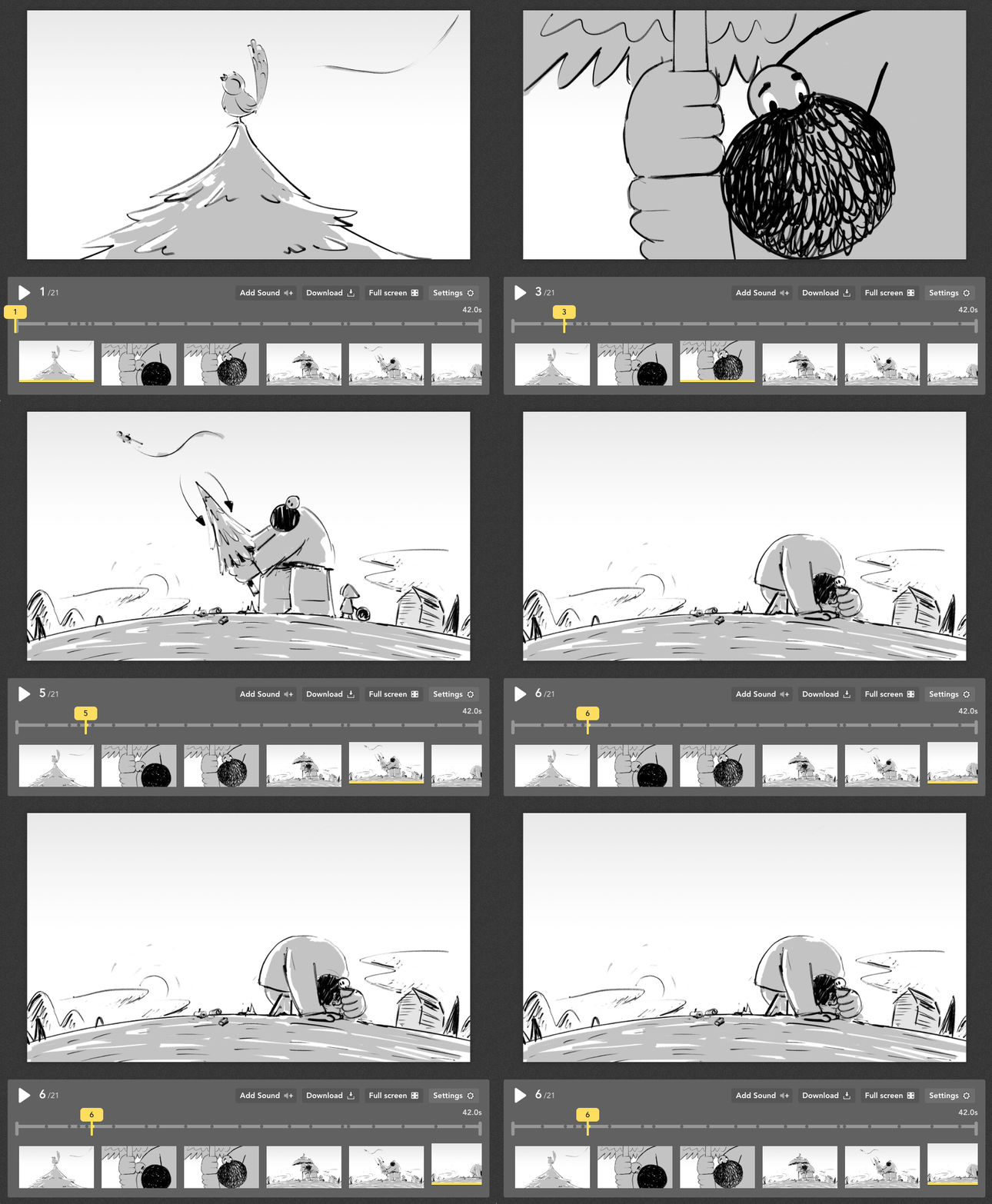
Storyboarding =Visualization

When the scene has a complicated action involved or few perspective point of view, storyboard is the most effective way to map out the scene.


  • Show IMPORTANT ACTION

  • Continuity/ Editing Point

  • Shot Composition

  • Indicate CAMERA ANGLE/ MOVEMENT

  • Map out the scene


Storyboarding process :


(1) Do story breakdown and then get shot list ready for storyboarding. 

(2) Use floor plan to mark out the camera position


(3) Camera angles for each sequence can be indicated in floor plan. Sc/sh numbers are written beside the camera symbol.


(4) Start from EWS/ WS, then cut in to characters/ objects. Cut between action and reaction.


(5) Cut to different framing and different angle shot.


(6) Use cut away to enhance storytelling and creating mood. Insert cut away or C.U shot as transition for new scene.


(7) Cut to different framing and different angle shot.


– Staging subject among foreground, midground and background to create contrast in size and distant, focus, brightness and colour.

– Separate the space by using planes as foreground, midground and background which contain many depth cues including size change, textural diffusion, tonal and color separation, up/down position, and overlap.

https://www.masterclass.com/articles/how-to-make-a-storyboard-for-a-film#watch-how-awardwinning-director-jodie-foster-makes-storyboards

https://images.ctfassets.net/ccli4xdzdc9p/4DpTQeSQg92AAuJdBP9DyO/e37c705d5a677b6a6752bab2c3082f46/animatic-demo-gif.gif


Week 07 (09/05/2022):


Frame size: 1920x1080 

Aspect ratio: 16:9

Pixel Aspect ratio: 

Square Pixel (1.0)

Fields: Progressive Scan

Display format: 25 fps

Channel Format: Stereo

Audio: 48000 Hz


Resolution: 1920x1080 pixel

Full HD resolution:

1920×1080 = 2073600 pixels

The higher the number of pixels, 

the better the quality.


Aspect ratio: 
The ratio of its width to its height
Aspect ratio: 16:9
https://youtu.be/Zg8cpybSXiU?t=23


DSLR photo default aspect ratio: 3:2

Change it to 16:9


Pixel Aspect ratio: 

Square Pixel (1.0) Ratio of width to height of a single pixel in a frame


Progressive Scan: All the horizontal scan 
lines are transmitted together.
Interlaced Scan: At any time, only the odd 
or the even lines are transmitted over the 
broadcast network.
https://youtu.be/xKMWjRlIvrY?t=146


Display format: 25 frame per sec

Frame rate: Number of frames are

 displayed per second.

Film frame rate: 24       fps
PAL system:       25       fps
NTSC system:    29.97 fps


Channel format: Stereo

A system of recording 

sound that uses two channels


Audio: 48000 Hz

Sample rate: How many times per second a sound is sampled.

https://youtu.be/fZzMXdxbOes?t=105


Week 01 (28/03/2022) 

For this week01's exercise, we learned how to use Adobe Premium Pro.

Edit Mints & Doritos videos, post it on Blog (Exercises section).

○ In class Editing Exercise / Mints :

  • Download footage: 

https://drive.google.com/drive/folders/1LI54P6zPIcdXOPpzChp637Fk3NRvVdoW?usp=sharing

  •  Create NEW Premiere Pro Project

  • Import footage into Premiere Pro

  • Arrange shots on timeline with proper order

  • Export video


Figure 1-1 : The screenshot of learning how to use Premium Pro(02/04/2022)


Figure 1-2 : The final design of Mints CM(02/04/2022)


○ Editing Exercise (Independent Learning) / Doritos :


Figure 1-3 : The process of creating Doritos CM(02/04/2022)


Figure 1-4 : The final design of Doritos CM(02/04/2022)


Week 02 (04/04/2022) 

Shooting Exercise : Framing :
We focused on frame and angle with shooting ourselves.
Low angle Wide shot
  • Frontal MCU (soft  background)
  • Frontal MS (soft  background)
  • Extreme Close-Up shot
  • Side angle MS (soft  background)
  • ¾ angling MCU shot (with blurry/soft  foreground)
  • Close-Up shot   
  • Eye-Level Medium-Wide shot 
Framing shooting Exercise Reminder :
  • The rest ZOOM IN to get soft background.
  • Shoot wide shot with wide angle.
  • Refer to the examples provided or google references for GOOD composition.
  • Avoid overexposed or underexposed (too bright or too dark).
  • Do the shooting during day time.
  • Edit with CAPTION (Mention the shot size), export video for submission.
  • Shoot landscape format video, 5 seconds per shot.

After the class, I did this task with Yi Xuan and Farah as a shooting group. We go outside of class room and use our Phone to shoot videos.

And then, I edited them with watching lecture of using Adobe Premium Pro by Mr. Martin. It was kind of confusing as first time to use, but enjoyed exploring as well.

Figure 2-1 : The process of editing the exercise wk 2 (05/04/2022)

Figure 2-2 : The process of editing the exercise wk 2 (05/04/2022)


Figure 2-3 : The Final design for shooting exercise - Youtube (05/04/2022)


Figure 2-4 : The Final design for editing exercise / Lalin - Youtube (05/04/2022)


Week 03 (11/04/2022) 

  1. 30 seconds MV. 3 or 2 in one group. Must include the 7 shots in slides(https://docs.google.com/presentation/d/1IOpHxQWknPT-o-Gh3fRsclZRFf2rGIcAh-I7LVn3oDA/edit#slide=id.g53683b4aa2_0_22)

  1. Listen to the lecture, and work on the Audio dubbing exercise: Slides: https://docs.google.com/presentation/d/1AxG8mXG3w1O5GZb3pSIoxW2zN47ml49THyFaPwg5SbU/edit#slide=id.p. Video: https://youtu.be/0y9FCNY_wsw

  1. Submit 1 & 2 in google sheet below latest 23:59pm, 17th Apl, Sunday: https://docs.google.com/spreadsheets/d/16jcBkjC2HuNNQ3roO9CDpJjjRvviOqE3brE2UPYhJeU/edit#gid=0

  1. Document 3 act structure in Blog (Exercises): Burrow, Guang, Lalin, Munich. Extra description for Munich: 1. Story outline(One paragraph) , 2. Describe the main character(One paragraph), 3. What is the character’s goal? 4. What are the obstacles that he faced?


Shooting exercise - Dance video :

We are required to make 30sec music video with us dancing.
So for this task, we decided to make it with Japanese idol, Wink. It's 80-90's J-pop idol songs, so I tried to create video with some effect I created. Also, I tried to make us dancing part with no background although I had some issue with my skill. But I could create it better than I guess.


Figure 3-1 : The memo for details (11/04/2022)

After I confirm the details for MV, I did shooting with my phone in my flat. Then I shared it with group mate(I just supposed that we needed to create one MV of us). 


Before I get others dance part shooting, I made title with Photoshop and adjusted it in Premium pro.

Figure 3-2 : The title in Photoshop(11/04/2022)

Figure 3-3 : The title in Photoshop(11/04/2022)


For this exercise, I tried to create it 80's mood that is why I explored Premium pro's effect tools. Then, I saved it.


Figure 3-4 : The process of MV in Premium pro(17/04/2022)

Figure 3-5 : The 80's effect I made - Premium pro(17/04/2022)


– Final design - 淋しい熱帯魚 / Winks

Figure 3-6 : Final design - Youtube(17/04/2022)


Week 04 – 06  (25/04/2022 – 02/05/2022) 


Happiness 2021

Happiness (Korean: 해피니스; RR: Haepiniseu) is a South Korean television series starring Han Hyo-joo, Park Hyung-sik, and Jo Woo-jin, produced by Studio Dragon. It is an apocalyptic thriller that takes place in a time in which infectious diseases have become the new norm.

Trailer: https://youtu.be/BA-CQdtexFs


We given this video for doing task on this week with group. For me, I attended it with afternoon group and did assist director. I tried to confirm the crew and details of shooting as well. We did shooting at D Latour rooftop and the room of residence. After that, the editing member created the video.


●Feedback

Week 01 :
General feedback
I just attend this class after Wednesday that is why I couldn't attend with them in same time, but it made me more being interested. I can't wait to do tasks in this module. For visual research, I could realized that there are a lot of kind of animation and editing skills. I would like to explore own skill more and more.

Week 02 :
General feedback
I had great time to shoot with my iPhone learning the rules. It made me a bit confused, but I could enjoy understanding with class mate. The rules of shot size and camera angle is really important to create great animation and video I guessed. I would like to focus on with it to shoot more and more.

Week 03 :
General feedback
I could enjoy creating music video by myself. I just selected the music of my favorite idol that is why I really had fun to edit it as well. I'm not good at dancing enough but I enjoyed it as well. 

Week 04 :
General feedback
I did this week task as assist director. It was kind of difficult for me to confirm crew and schedule because I'm not good at speaking in English enough. But also someone supported me to do it that's why I could do it smoothly. I really appreciated them and noticed I have to learn it more and more.

Week 05–06 :
General feedback
For these week, we didn't have lecture though we were required to do task. For me, I searched about social issues for stop motion task and some visual effects for another task. Then I confirm and summarized it.

Week 07 :
General feedback
After this week lecture, I realized that I need to select one task for final task of this module from stop motion task or visual effects task, so I selected it again. For this week lecture, we learned about the size of video, movie and some tool of Premium pro. After that we got feedbacks of tasks so far. I'll got it next lecture though.

Week 08 :
General feedback
No lecture in this week(Independence study week).

Week 09 :
General feedback
During the lecture, I learning how to adjust the color. 

Week 10 :
General feedback


●Reflections

>Experience

>Observations

>Findings

>Further readings/references


Comments